inkBook

inkBook
License:
Trial version
Language:
English
Developer:
Developer's website
OS:
Mac OS X
Updated:
See detailed info

Softonic review

Nick Mead

“Write down your notes the old fashioned way”

by Nick Mead about inkBook

I can barely remember the days I used to write school essays and assignment by hand. Sometimes I worry that I've forgotten how to write at all.

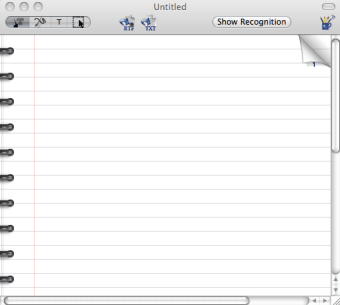
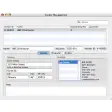
Those of you with a digital pen and tablet can have the best of both worlds though, and inkBook is designed to help make your scrawl more legible later. inkBook is a handwriting recognition tool that allows you to write notes by hand and yet still remain searchable and indexable by Spotlight and other search tools. You can even export them as a text file.

What InkBook can be really useful though is jotting down phone numbers, addresses and appointments and then transferring them to applications such as iCal and Address Book. Similarly, it could be really useful for students who want to take notes in shorthand or by pen and then transfer them to their Mac later. InkBook features its own search tool, although anything you export as text can also be found using Spotlight.

The big advantage of this tool is that it allows you to take notes and write with a much more fluid flow than typing. It also prevents the need to have scraps of paper lying everywhere. However, it's obviously reliant on you making the necessary investment in a pen and tablet which, unless you are a designer, will probably not be worth the expense.

If you're a big fan of digital pen and tablet software, inkBook provides a fluid way of recording your notes and scrawls.

Pros
  • Allows you to export writing as text
  • Facilitates more fluid note taking than typing
Cons
  • Requires investing in a digital pen and tablet
Download inkBook 2.0.3

inkBook is virus free

We have analyzed the latest version of inkBook with 30 antivirus engines and it is virus free. See analysis results.

TESTED VIRUS FREE - Softonic GUARANTEED

inkBook (1) User reviews

  • rank_0
  • 0/10
  • thoth2487 thoth2487
    User reviews
    1
    • rank_0
    • 9/10
    WOW

    Very great tool.
    Only two missing:
    - paste/import of images
    - zoom to simply and increase sign quality in handwriting phase... More

    • Review of inkBook - 11 Oct 2010
      This review is liked by 1 of 1
Your avatar
Review
  1. Maximum: 75 characters

  2. See example

Pros and Cons
Rate
  1. What rating would you give inkBook?

    You need to fill in all fields

    • Usability:

      Not rated
    • Stability:

      Not rated
    • Installation:

      Not rated
    • Functionality:

      Not rated
    • Appearance:

      Not rated
    • Overall rating:

      Not rated
  2. Don't worry, we won't make your email address public.

You're not allowed to share serial numbers, cracks, etc. or link to pages that contain them. If you do, your user account will be deleted, your IP address logged and legal action will be taken.

Get started - just ask a question!

Write a title for your question.

Alternativesto inkBook

  • In English:
    OmniFocus
    OmniFocus

    Professional grade personal task management

    Softonic rating:
    • 9/10
    User rating:
    • 10/10
  • Free:
    Alfred
    Alfred

    Excellent productivity and launch app

    Softonic rating:
    • 9/10
    User rating:
    • 10/10
Compare with inkBook
Download rank: All Purpose

9 of 33

Softonic rating:
  • Very good
  • 8/10
Your rating:
Your rating
  • 0

Review and rate this program

Top Downloads: All Purpose

  • United States
  • Global

  1. Evernote

    Cut and paste almost anything for reading later

  2. SeaMonkey
  3. OmniOutliner
  4. StayFocusd
  5. Guest PC

Older versions of inkBook

Reviews of inkBook in other languages